3D Assist Software
3DAssist 3D modeling software for IPLEX™ video borescopes* turns standard inspection reports into dynamic, in-depth analysis with compelling 3D images.
-
Software Downloads:
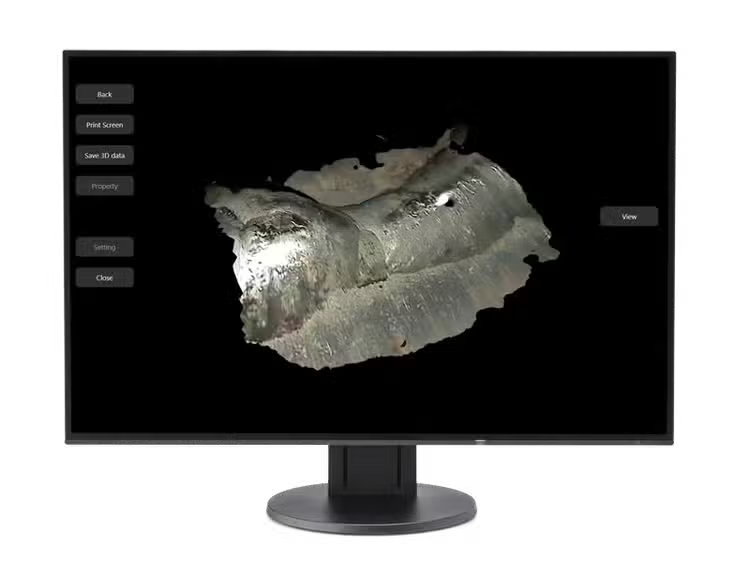
3DAssist 3D Modeling Software
Elevate Your Insights
3DAssist™ 3D modeling software for IPLEX™ video borescopes* turns standard inspection reports into dynamic, in-depth analysis with compelling 3D images.
- Create 3D images from video acquired using a mono tip adapter
- See target objects in a wide field of view
- Produce insightful reports using quantitative analysis features, such as 3D comparative measurement, Color Gradient, Deepest/Highest, and Profile analysis
- PC-based software: render and analyze images in the office, saving time in the field
- Easily share reports and images using collaborative tools such as Microsoft Teams
*IPLEX One, IPLEX TXII, IPLEX NX, IPLEX GX/GT, IPLEX G Lite, and IPLEX GAir are currently supported.
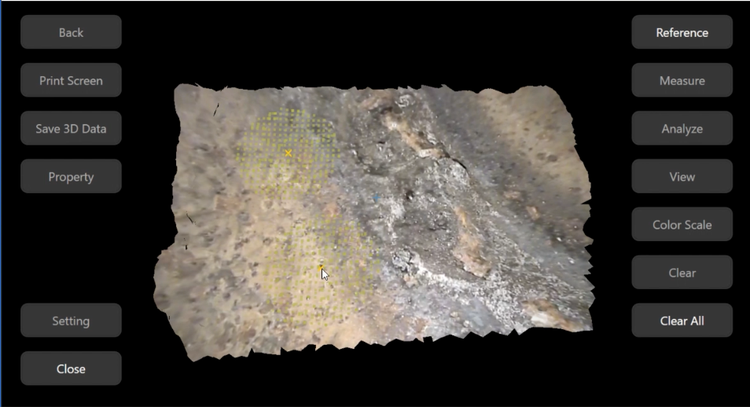
Bring the Details of Your Inspection to Life
3DAssist software uses video captured with your IPLEX video borescope and creates a three-dimensional model of the pipe or asset you’re inspecting. The software is PC-based, so you can spend time studying the 3D images and making determinations from your office rather than the field.
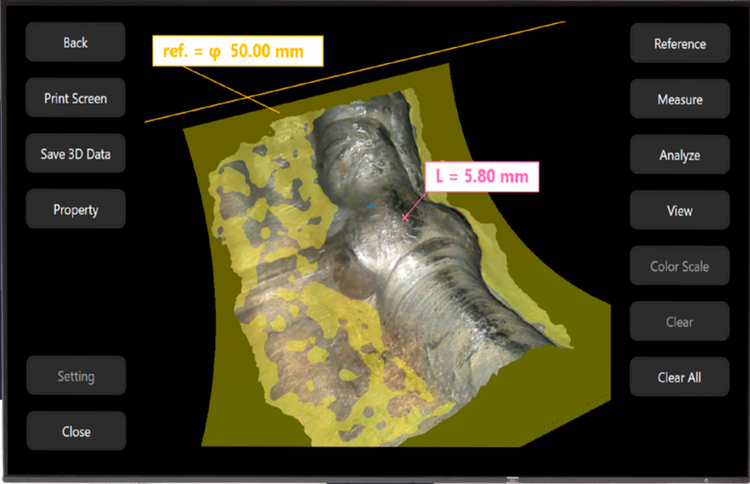
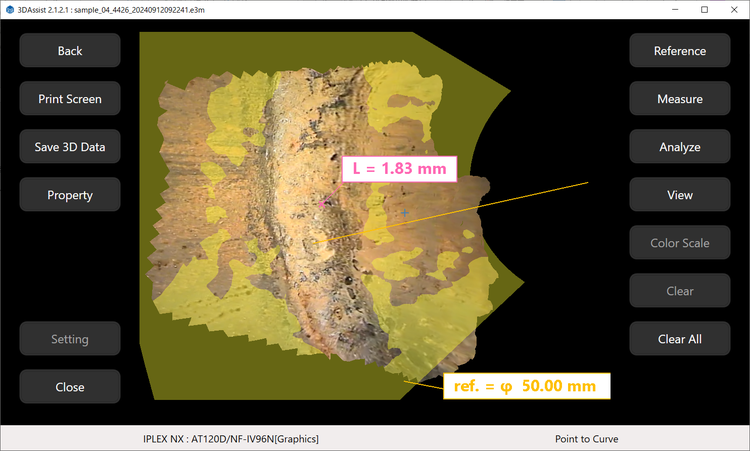
Weld sample in Point to Curve measurement mode.
Strengthen Reports with Compelling 3D Images
Once you’ve captured the video of your inspection, creating a fully rotatable 3D image takes just a few clicks.
- Evaluate potential damage—such as rust, pitting corrosion, thinning, or bumps—in your office
- Add 3D images and measurement results to your inspection report to provide additional detail and greater confidence in your interpretations
- Easily share reports and images using collaborative tools such as Microsoft Teams
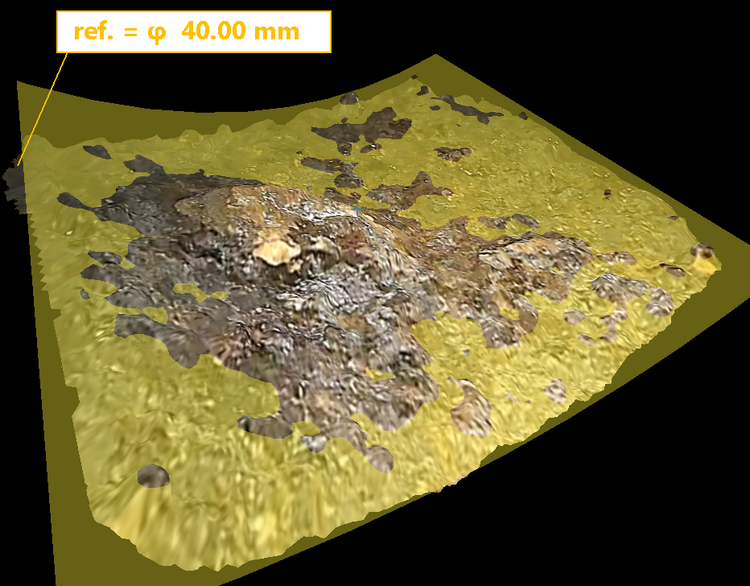
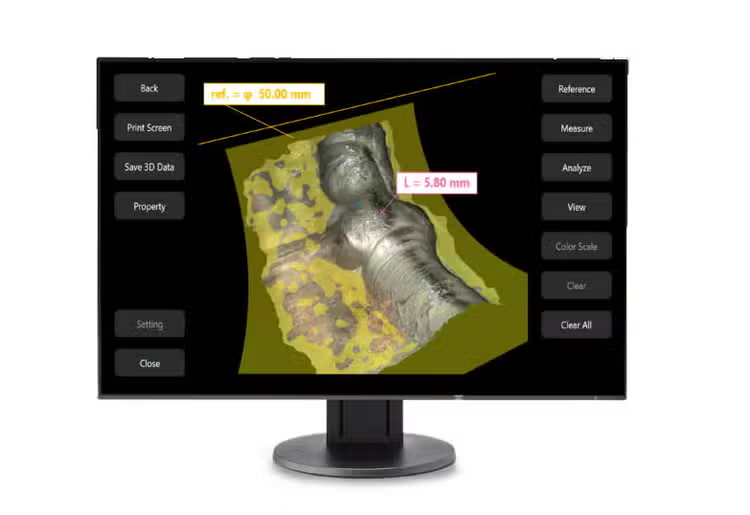
3D view of the bump on a pipe. The estimated reference curve surface (yellow) is used for Point to Curve measurement and other analytical functions.

Deepest/Highest analysis with Color Gradient.
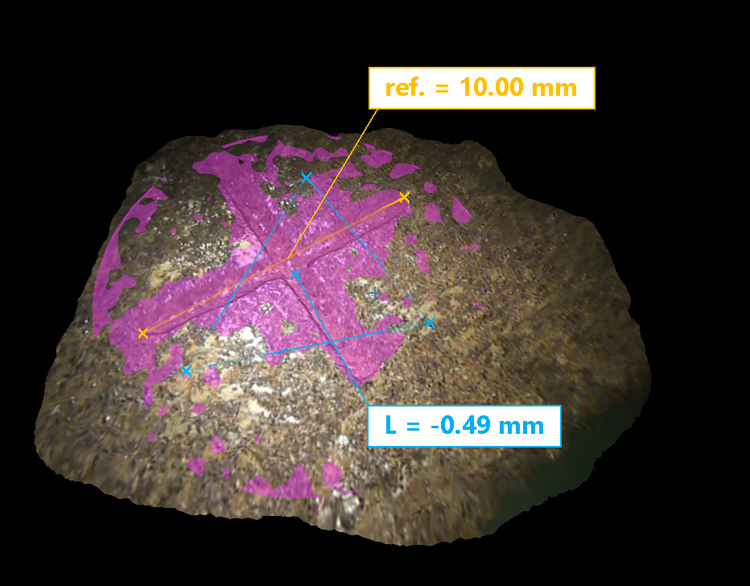
3D view of a sample with an artificial crossed pattern. The 3D view with Depth measures the distance from the designated plane in purple to the placed point in blue.
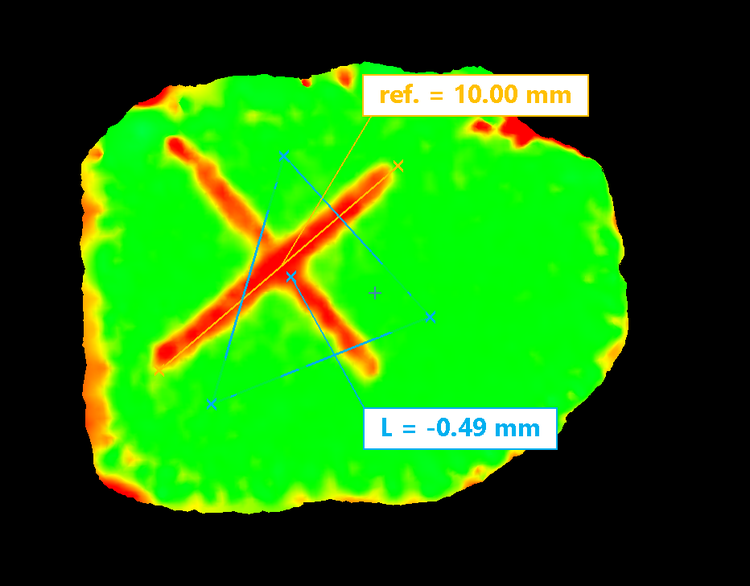
3D model of the sample with the height and depth relative to the reference plane (purple) in the left image. Red illustrates the negative (deeper) area relative to the reference. Green illustrates the area with the same height as the reference.
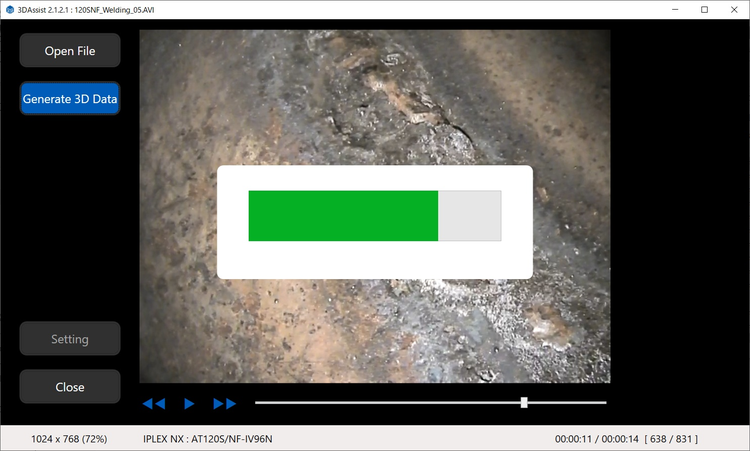
The process to generate a 3D model.
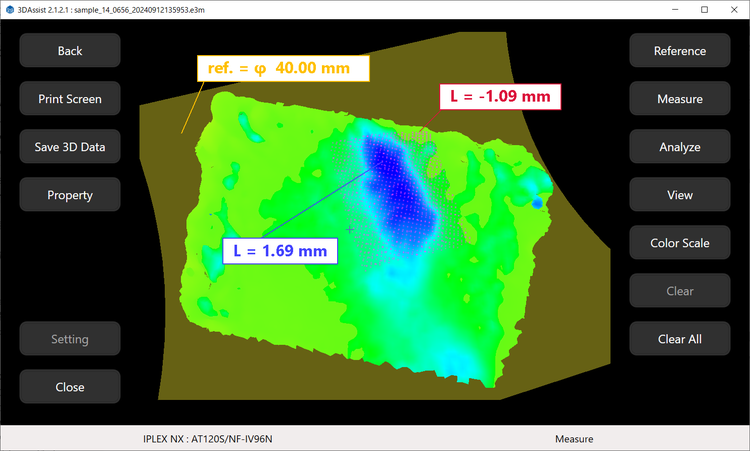
Deepest/Highest analysis with Color Gradient.
Save Time and Equipment Using a Mono Tip
Previously, a stereo tip adapter was required to capture 3D images using a video borescope. Our 3DAssist software improves this process in two ways:
- Easily obtain 3D images from video acquired during your inspection
- Only a standard monocular tip is needed when recording the video
Together, these features save you significant time during an inspection. Instead of starting with a mono tip and having to withdraw the scope, change to a stereo tip to capture 3D images of possible damage, and renavigate to the area of interest, you can conduct the entire inspection using a mono tip.
Other benefits include:
- Wider field of view: monocular tips have a wider field of view than stereo tips, so you can see more in your 3DAssist images
- No special equipment: just record a video of your inspection—no other equipment required
- Simple to use: upload the video from your IPLEX video borescope, and the 3DAssist software processes it into an easy-to-view 3D image
Measurement Tools
Achieve More with Intuitive Measurement Tools
3DAssist™ software’s powerful and intuitive measurement tools unlock a new level of insight, revealing hidden defects inside your pipes and assets.
Measurement Mode to Solve Piping Inspection Challenges
In piping inspections, accurately assessing bulges and wall thinning is crucial. Point to Curve measurement mode enables precise depth and height measurements using the pipe's surface contour as a reference. With this innovative method, you can evaluate defects more precisely than with conventional methods.
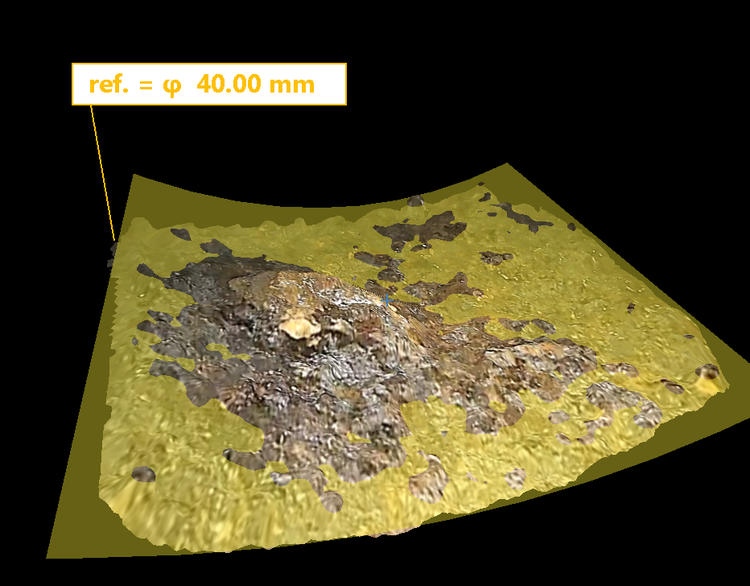
3D view of a bump sample.
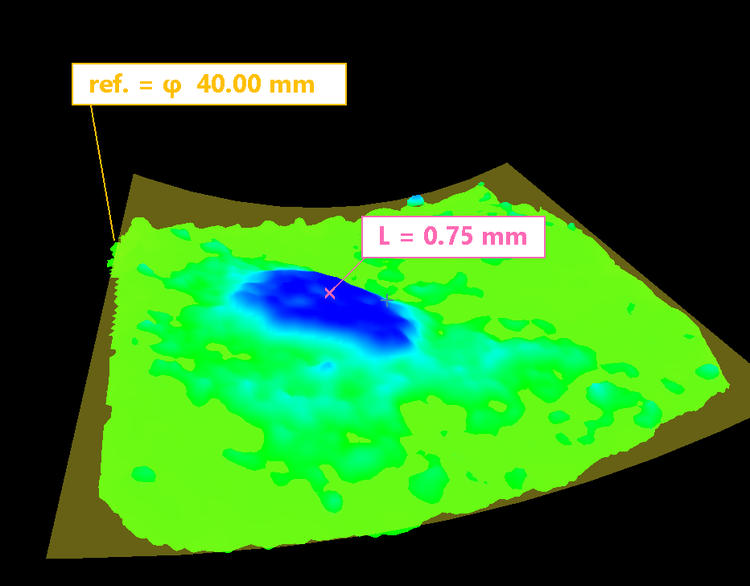
The same sample in Point to Curve measurement mode with Color Gradient analysis. You can easily understand the higher and deeper areas using Color Gradient and place the measurement point using Point to Curve mode.
Comprehensive Analysis Tools to Elevate Your Reports
3DAssist software provides a variety of analysis tools designed to significantly enhance the quality of your reports. These include:
- Color Gradient: indicates depth and height relative to the reference surface
- Profile analysis: displays a cross-section based on a user-defined plane, highlighting the roughness of any area on the 3D model
- Deepest/Highest analysis: displays the deepest and highest values within an area of interest
Incorporating these quantitative insights into your inspection reports will elevate them to a higher level of clarity and depth.
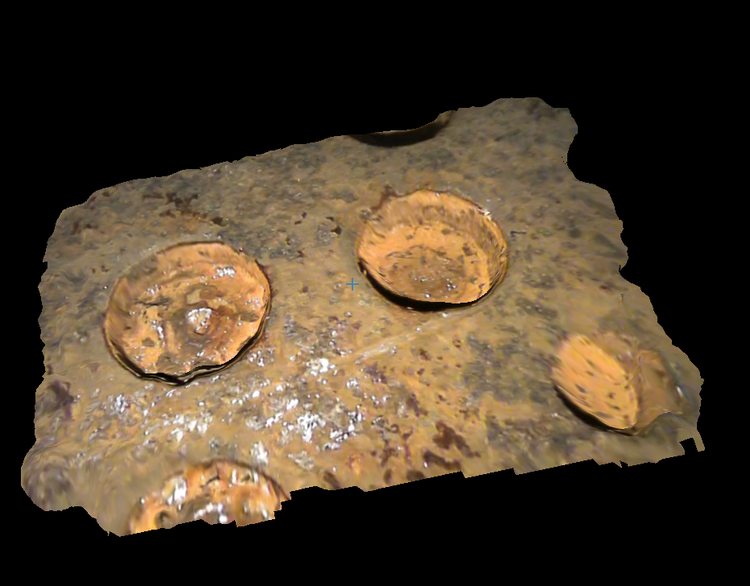
3D view of an artificial blind hole.
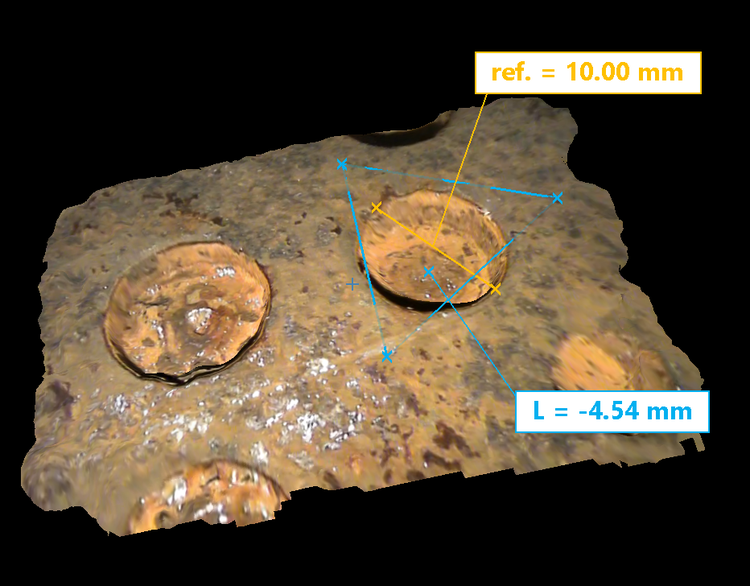
3D view of the blind hole with Depth measurement.
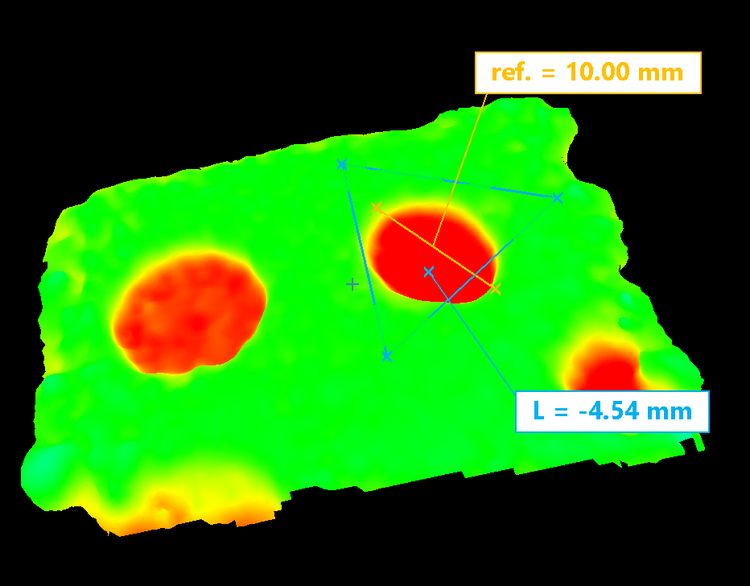
3D view of the blind hole with Depth measurement and Color Gradient.
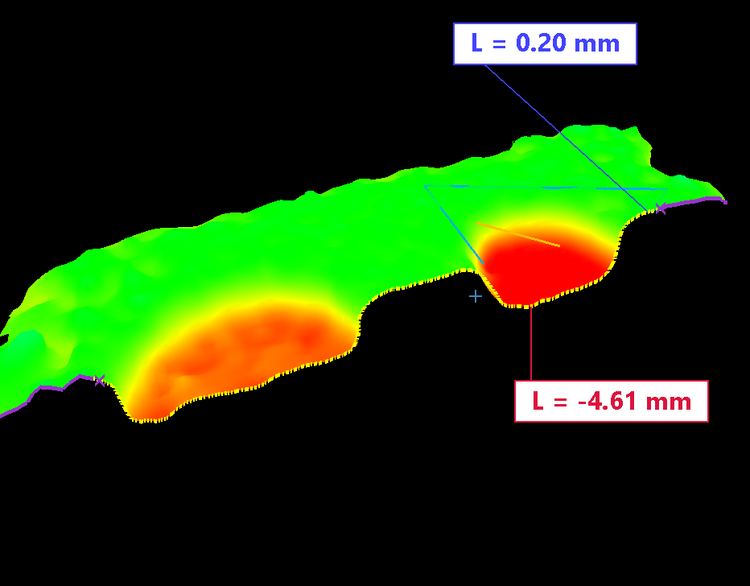
Cross-sectional view of the blind hole.
Measurement Workflow Made Easy
Unlike complicated analysis tools, 3DAssist software is optimized to provide an intuitive and consistent user experience. A simple and clear workflow reduces the analysis time, so you can reach accurate conclusions faster than ever.
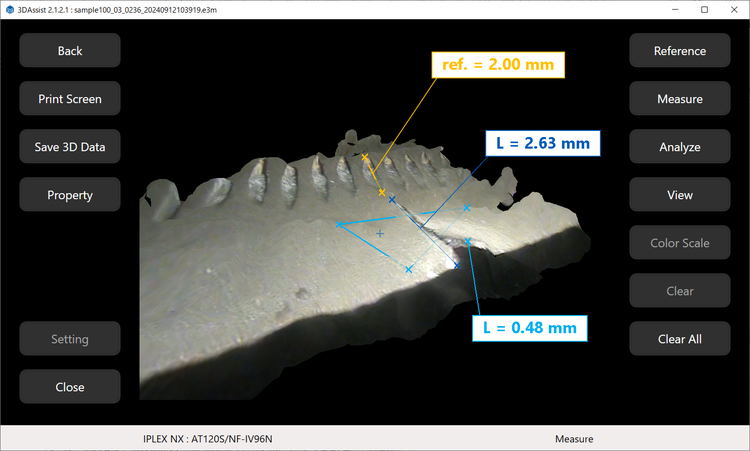
3D view of an airfoil with Distance and Depth measurement.
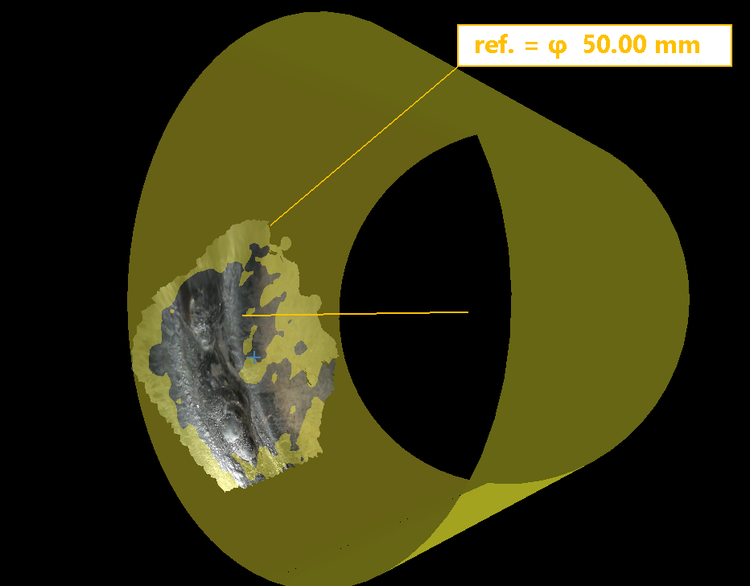
The curved shape of the whole reference cylinder.
Upgrades and Licenses
Free Future Upgrades
A series of features are being developed that will add new capabilities to the software. These updates will be available for free if you already own the software. Check this page regularly for more information!
3DAssist 3D Modeling Software Licenses
From a free trial to multi-license bundles, we offer several license options depending on your needs. Each license is tied to an IPLEX main unit, so the software can be used on multiple PCs or if you change scopes with no additional fee.*
*Multiple licenses cannot be used with the same IPLEX unit if it is already registered to a single or multiple license.
Specifications
System Requirements
Keyboard
Touch screen
Supported Video Borescopes and Optical Adapters
Supported video borescopes
Colspan=2
Supported optical adapters
Rowspan=6
AT80D/FF-IV104, AT120D/NF-IV104, AT120D/FF-IV104, AT120S/NF-IV104, AT120S/FF-IV104, AT110DN/F-IV104, AT100D/S-IV104
AT80D/FF-IV106, AT120D/NF-IV106, AT120D/FF-IV106, AT120S/NF-IV106, AT120S/FF-IV106, AT110DN/F-IV106, AT100D/S-IV106
*1 The IPLEX NX Working Channel model (IV9635X1N).
*2 The IPLEX G Lite-W is not supported.