TomoView Software
TomoView is a PC-based software for data acquisition and visualization of ultrasonic signals.
TomoView Software Thickness and Flaw Inspection Solutions
Ultrasound Acquisition and Analysis Software
TomoView is a PC-based software for data acquisition and visualization of ultrasonic signals.
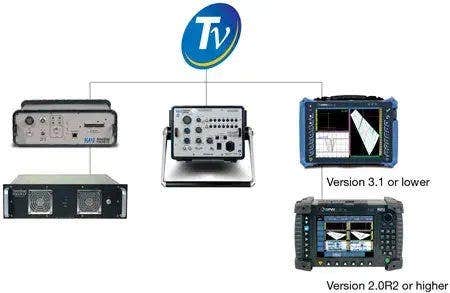
Supported legacy acquisition units include:
TomoView™ PC-based software is used for design, data acquisition, and visualization of ultrasonic signals. Ultrasonic parameter configuration is flexible to display different types of views for diverse applications in industry to research.
TomoView software performs ultrasonic testing (UT) data acquisition with several of our legacy phased array (PA) or conventional UT units, giving you the flexibility to choose the configuration for your application.
Supported legacy acquisition units include:
- OmniScan™ MX2 PA and UT flaw detector
- OmniScan MX PA and UT flaw detector
- TomoScan FOCUS LT™ PA unit
- OmniScan MX2 PA UT inspection system
- OmniScan MX PA tube inspection system
Compatible with Windows XP, Windows Vista, Windows 7, Windows 10, and Windows 11*, TomoView software operates efficiently on standard laptop computers and high-end desktop workstations, and it handles large data files up to 2 GB.
*NDT Remote Control and NDT Data Access libraries are not supported in Windows 10 and Windows 11.
Multi-Technology Management for Ultrasonic Acquisition and Analysis
TomoView software has advanced simultaneous multi-technology capabilities, giving you the power to perform conventional UT, phased array (pulse-echo, pitch-and-catch, or through transmission) and time-of-flight diffraction (TOFD) acquisitions. When you use TomoView software for your ultrasonic inspection applications, you have the power to build your application your way.
Design and Data Acquisition
Powerful Design and Data Acquisition Software
Flexible Phased Array Configurations
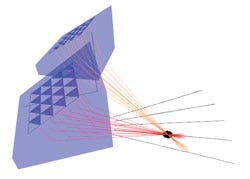
The TomoView™ Advanced Calculator is an essential and powerful component of the TomoView software package. This calculator easily and precisely programs angle beams and focal points for 1-D linear array, 1-D annular array, and 2-D matrix array probes, with its preprogrammed wedge, probe, and material database.
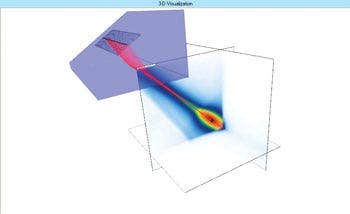
The Advanced Calculator can be used to program sectorial, linear, and depth scan focal laws for plane and circular geometries, supports dynamic depth focusing (DDF), and can also be used to generate OmniScan™ compatible law files (.law).
In addition, the graphical display of the resulting beams and angle beams provides you with an important validation tool. The Acoustic Field Simulation module is available as an option, offering the simulation of spatially diffracted fields in 2D or 3D.
Unleash the Power of TomoView Software with the TomoScan FOCUS LT
Get even more power from TomoView software by using it with the FOCUS LT™ phased array acquisition unit, which has the following features:
Up to 64 elements per focal law with the FOCUS LT 64:128 and 64:64 models, offering improved defect definition, material penetration, and flexibility for 2-D matrix and 2-D dual-matrix probes.
- Advanced R-O configurations, with the power to pulse and receive using different element configurations.
- High PRF for applications requiring fast inspection speeds.
- DDF feature for highly improved resolution while maintaining an optimized inspection speed.
- Use up to five gates (one synchronization gate and four detection gates)
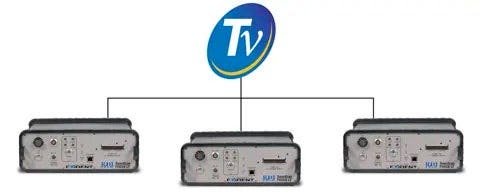
- Manage up to three FOCUS LT units in parallel using TomoView, while benefiting from up to a threefold increase in acquisition speed.
Advanced Display Configuration Tools
Fully Configurable Views and Readings
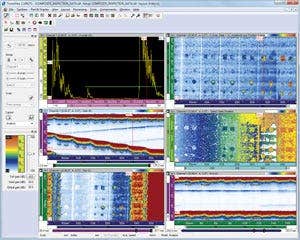
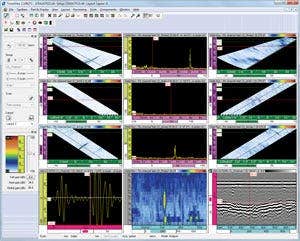
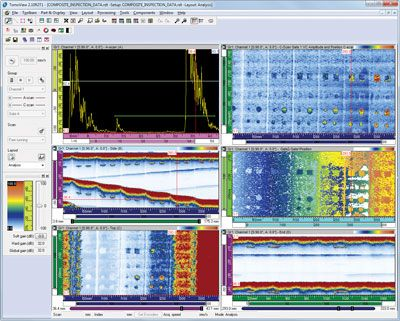
TomoView software offers complete flexibility when building layouts, with fully configurable view displays and readings. Each set of views maintains its own content configuration. You can easily transfer these sets to other views, then save them to layout sets that remain accessible through the TomoView Manager.
Create Your Own Readings
In addition to offering a wide choice of readings, TomoView software provides the flexibility to use your own custom readings. Easily export the readings to Microsoft Excel, process them using custom calculations, then import them back into TomoView software.
Easily Modify and Manage Multiple Layouts
TomoView Manager is one of the most useful TomoView components, giving quick and easy access to frequently used commands.
The management system can be used to quickly add, remove, or modify groups, and it enables you to easily switch between different groups and gates. It also provides an interface that easily changes the global gain, as well as the A-scan and gate parameters.
Flexible and fully configurable layouts are a fundamental element of TomoView software. The layouts let you view data in different representations to best serve your application needs.
TomoView software comes with multiple sets of predefined layouts. You can go even further by creating your own layouts. Easily modify, save, and load the layouts for rapid retrieval during inspection or analysis. For an additional layer of flexibility, customize the individual views through contextual menus.
Flexible Setup Optimization Tools
Firing Sequencer Tool
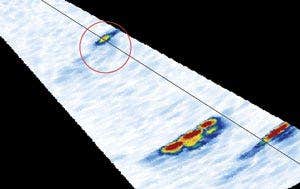
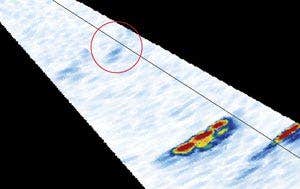
In applications where focal configurations are maximized to obtain the highest inspection speed, the TomoView Firing Sequencer module enables you to modify the order in which the focal laws are triggered. This helps to diminish the ghost echoes that tend to appear in these conditions.
Dynamic Depth Focusing (DDF)
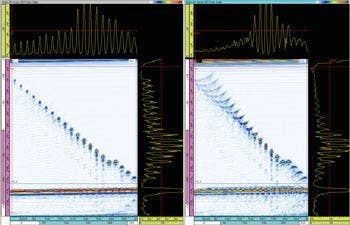
DDF at left and standard focusing at right.
The dynamic depth focusing (DDF) technique dynamically changes beam forming on reception for increased resolution, enabling improved defect resolution while maintaining optimal inspection speed.
Conditional A-Scan
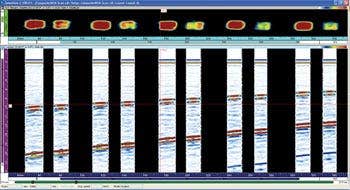
Analysis
Advanced Analysis Tools for Acquired Data
In addition to being a powerful design and acquisition platform, TomoView™ software includes advanced analysis tools for in-depth comprehension of the acquired data. This makes TomoView software an ideal companion for analysis and reporting.
Whether you want to perform simple flaw sizing and reporting or go deeper in your analysis, TomoView software has the power to do all of this and more with its flexible and comprehensive design. Take your analysis to the next level with powerful functions and algorithms, including:
More Powerful Than ever Before
With many new functions, TomoView 2.10 is now more than ever the best tool to take your analysis to the next level.
Data file sizes up to 2 GB, letting you merge data from multiple files and analyze data from larger surfaces more efficiently
Advanced Algorithms
With its advanced analysis algorithms, TomoView 2.10 allows you to go even further with your acquisition data.
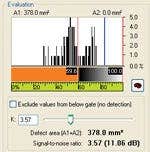
Powerful noise analysis: quantify the signal-to-noise ratio and obtain more information about the inspection conditions
Data File Merge
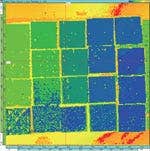
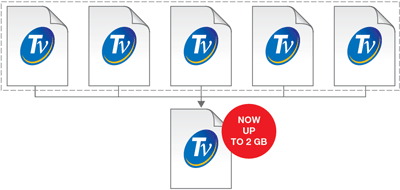
With TomoView's data file merging feature, multiple data files to be combined into a single file and then analyzed simultaneously, making the analysis process more efficient. TomoView software allows up to 2 GB per data file, giving you the power to combine even more data files into a single one.
TomoView 2.10 also allows up to 2 GB per data file, giving you the power to combine even more data files into a single one than before.
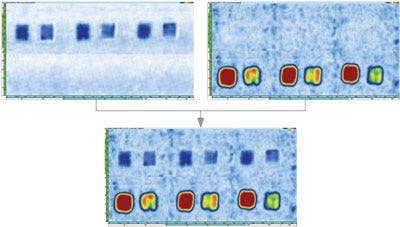
C-Scan Merge
The C-Scan merge feature enables data from different C-scan patches to be merged in a single C-scan, where either the maximum or minimum amplitude or positions detected over the different C-scans are retained.
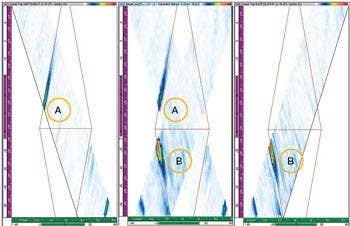
Volumetric Merge
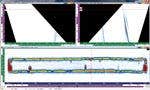
Merge different acoustic beams into a single group with the TomoView Volumetric Merge feature. This merged view provides a clear representation of the entire inspected part, making indication analysis easier.
When spatial overlap occurs, the maximum amplitude is conserved. As a result, the merged view shows all detected indications regardless of the original indication orientation. Note that the indicators can differ due to the merge resolution used.
Note that the indicators can differ due to the merge resolution used.
Better C-Scan Representation with Matrix Filters
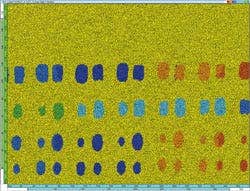
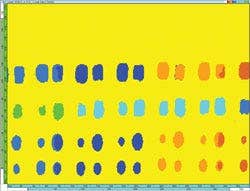
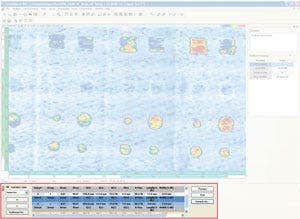
Use the Matrix Filters tool to reduce noise on C-scan data by processing data points using the surrounding points. The Matrix Filters are particularly useful when analyzing noisy composite parts, enabling clearer data representation for analysis of data files with high noise levels.
Powerful Noise Analysis
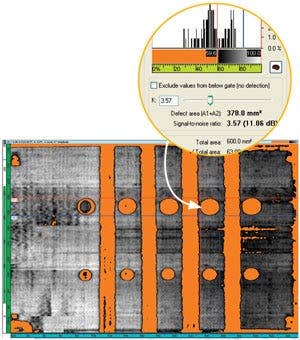
TomoView software includes a signal-to-noise ratio (SNR) function. Use the SNR Analysis Utility to evaluate the noise level in a reference area on a C-scan view and then to calculate the indication surface area above the noise.
The SNR function is available in Analysis mode and with the Lite Aero edition. The SNR function is used for 0-degree inspections, often for aerospace industry parts. You can use the function on Top (C), amplitude, and position C-scan views.
Flexible Offline Data Optimization
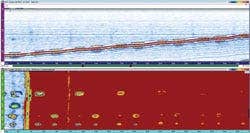
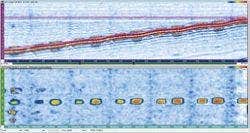
With the Software C-scan Editor, you can edit custom geometries from the originally acquisitioned data. This lets you customize the zone of interest in analysis, providing greater flexibility when inspecting complex geometries.
Simple Pass/Fail Analysis
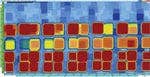
Use the Binarizer tool to perform simple pass or fail analysis on data files by converting acquisition data to a color driven "Good/No good" display. This tool is particularly useful in situations where the inspection procedure requires visual analysis of the acquired data.
This tool is particularly useful in situations where visual analysis of the acquired data is required in the inspection procedure.
Easy Reporting Tools
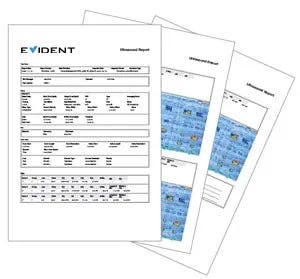
Creating a report in TomoView software is easy. Use the Zone tool to add an indication. Select your preferred indication table template (easily customized with additional readings and comments). Click Add. Repeat for all relevant indications.
Change the report as needed, from adding company logos to including inspection-specific information (operator's name, site, part, etc.) Produce a full HTML report, including all relevant inspection settings, in a matter of seconds.
Specifications
Features
* Available from version 2.10R6