Remote Visual Inspection Software
Streamline your inspection process, expand your analysis, and boost efficiency with our powerful remote visual inspection software:
- Enhance your workflow and elevate your insights using our ViSOL™ RVI software to tackle inspection challenges head-on—from managing inspection data and measurement to analyzing the condition of assets. Our ViSOL visual inspection solution is an agnostic software that puts you in control with structured workflows and seamless collaboration via the Evident Connect cloud.
Watch the video to learn more! - Transform a standard inspection report into a dynamic, in-depth analysis with compelling 3D images using our 3DAssist™ software (compatible with IPLEX NX, IPLEX GX/GT, IPLEX G Lite, and IPLEX GAir videoscopes).
Get more details about our remote visual inspection (RVI) software solutions at the links below.

- Visual Inspection
- Software
Connecting You with More
ViSOL™ Visual Inspection Workflow Solution
Streamline your visual inspections with ViSOL. Designed to intuitively organize, analyze, and report inspection data, ViSOL delivers actionable insights with advanced analytics, clear visualization, and seamless collaboration. A fully scalable cloud software solution, ViSOL supports digital transformations for individuals and organizations at any scale.
Video Borescope Software
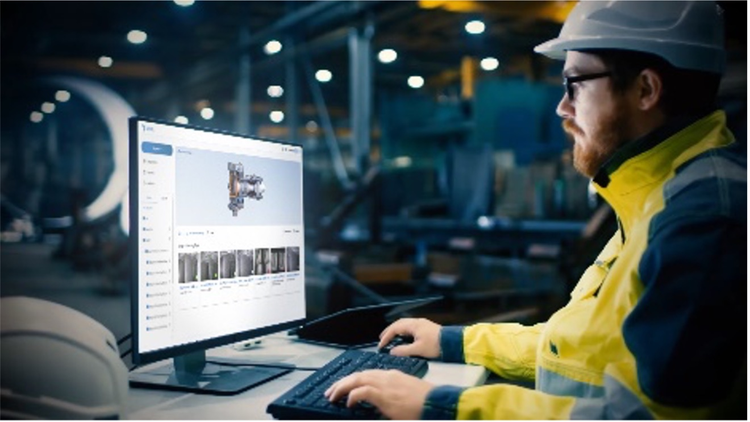
ViSOL™ Software
ViSOL™ software simplifies and standardizes the RVI workflow, improving efficiency and easing decision-making through tools such as AI-assisted defect detection, automated reporting, interactive data analytics, and cloud-based collaboration and data management.
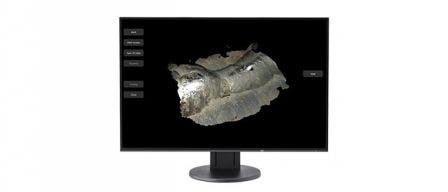
3DAssist™ Software
3DAssist software uses video captured with an IPLEX video borescope to create compelling 3D images that bring your inspection to life. With just a few clicks, you can create a rotatable 3D image of your inspection area and view it on your PC.
Remote Visual Inspection Software FAQs
What is video borescope software used for?
RVI software is used to streamline the inspection process, image management, and report generation in video borescopes, making the overall workflow less time intensive and more efficient. This is especially useful when you have a lot of areas to inspect and you’re dealing with a large quantity of images.
With videoscope software, images can be stored in folders that are created in advance for each inspection area, making organization simple. As the images are taken, the software enables you to log the status and extent of any defects at the touch of a button, saving time both on site and later during reporting and analysis, when automatic reports can be generated.